
One of the joys of RVing is the freedom to escape the demands of everyday life and explore the world on your own terms. However, fully disconnecting isn’t always an option in today’s connected society. Emails need tending, loved ones crave updates, and sharing travel moments on social media is part of the adventure. Accessing the internet for RV life isn’t just about leisure—it can be essential for work or schooling. While navigating RV Wi-Fi options may seem daunting, it boils down to a few straightforward choices. From casual browsing to full-time work needs, we’ve compiled a range of options to keep you connected on the road. Finding the right solution is key.
7 RV WIFI Options
Public Wi-Fi
Free public Wi-Fi can be convenient for those looking to save money. Public libraries, coffee shops, and even fast-food chains offer complimentary Wi-Fi access. Public Wi-Fi is great if you don’t need extensive internet usage or prefer a more disconnected lifestyle. However, relying solely on public Wi-Fi has its limitations, including varying connection speeds, limited bandwidth, and higher security risks. To mitigate these risks, you should use a virtual private network (VPN) to encrypt your data, avoid accessing sensitive information while connected to public networks, and keep your devices updated with the latest security patches. While free public Wi-Fi can suffice for casual browsing, it may only partially meet the internet needs of most people, making it necessary to explore other RV Wi-Fi options for more reliable connectivity on the road.
Parks and Campgrounds with RV Wi-Fi
As our reliance on the internet grows, many RV parks and campgrounds offer campers access to RV Wi-Fi. Opting for resorts with this amenity can be a cost-effective alternative to outfitting your rig with wifi capabilities. While it requires minimal effort on your part, there are drawbacks to consider. Some RV parks may advertise Wi-Fi access but fail to mention associated fees, while signal strength and speed often fall short of expectations. Ironically, the structure of your RV can impede signal reception, hindering internet access despite park offerings. While RV park wifi may suffice for basic tasks like emailing or social media browsing, streaming or uploading large files may prove challenging.
Mobile Hotspots
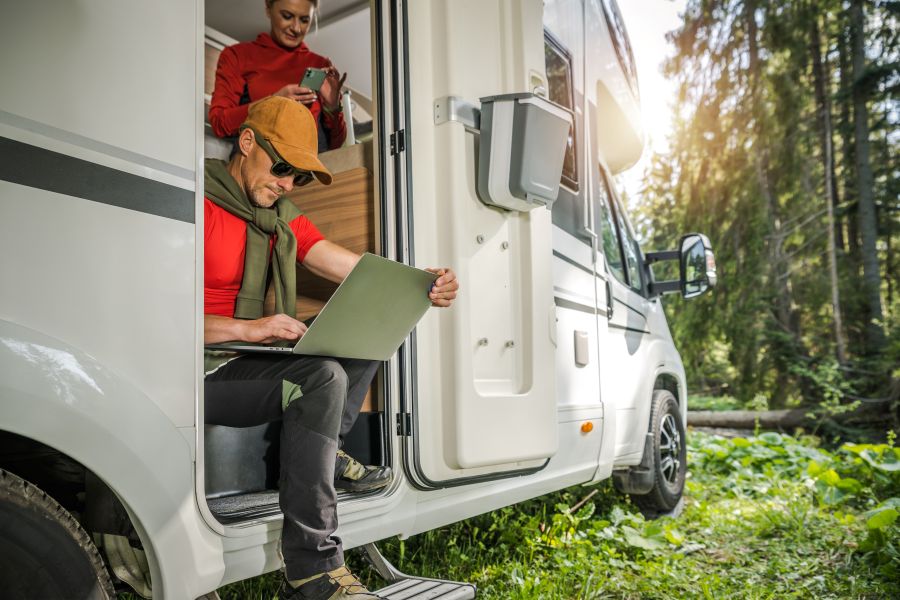
In the realm of RV Wi-Fi options, utilizing your smartphone’s hotspot feature falls into the Goldilocks zone—neither too complex nor too limited. Often overlooked, smartphones can share their cell tower internet access with other devices like laptops, providing a quick and easy internet solution on the go. Activating your phone’s Wi-Fi and Bluetooth functions or connecting it to your computer via USB enables the hotspot feature. Once connected, your phone may generate a password for your laptop to join the network, granting instant online access. However, it’s crucial to note that data usage on your laptop will consume your cell phone’s data plan. Investing in an unlimited data plan is advisable for prolonged reliance on this method, effectively bundling your mobile data and home internet into one manageable cost.
Cellular Boosters
Having RV Wi-Fi can make your road trips more enjoyable. Investing in a cellular booster takes mobile hotspot capabilities to the next level, offering a Goldilocks solution for those prioritizing strong, reliable internet access. With an upfront investment, typically from $200 to $600, boosters amplify weaker Wi-Fi signals, improving connectivity throughout your travels. While Wi-Fi boosters exist to enhance signals from RV parks, they require proximity to an existing network. In contrast, cellular boosters ensure better internet wherever cell service is available, making them a more versatile choice for frequent internet users on the road. A cellular booster can offer faster and more reliable RV Wi-Fi if you stream TV shows or work remotely.
RV Wi-Fi Satellite
You’re likely acquainted with satellite TV, where a dish installation connects you to your TV provider. Similarly, satellite internet operates through a similar setup. Installing a dish on your RV allows you to access the internet for a monthly fee. While satellite internet eliminates reliance on cellular data, it comes with its own pros and cons for RV Wi-Fi usage. On the positive side, satellite internet offers coverage in remote areas where cellular signals may be weak or non-existent. Additionally, it provides a consistent connection regardless of location, making it ideal for RV travelers exploring off-grid destinations. However, this option can be more expensive and equipment-heavy than other RV Wi-Fi solutions. Heavy storms and precipitation can also disrupt satellite internet, affecting your connection. RVers should weigh the convenience of satellite internet against its potential drawbacks when choosing their preferred internet solution on the road.
Starlink Roam RV WIFI
Starlink Roam also offers a reliable and convenient solution for RV WiFi. You’ll enjoy high-speed internet wherever you are, whether you’re boondocking in the wilderness or parked at a scenic campground. Setting up Starlink Roam is simple and easy– simply plug it in and point it at the sky. Finding a location with an open view of the sky is essential for having the best connection. In heavily wooded areas, you might have to mount Starlink Roam on the RV’s roof. Additionally, Starlink is designed to endure the elements – it can melt snow and withstand sleet, heavy rain, and harsh winds. You can enjoy seamless connectivity with the Mobile Priority service plans when you’re on the go. This option is loved by full-time RVers for its reliability, flexibility, and ability to keep them connected no matter where the road takes them. Starlink Roam is a reliable and flexible RV WiFi solution, whether you’re streaming your favorite movies or working remotely from your RV.
What’s changed recently is how the Roam plans and pausing work. Starlink now lists Roam 100GB and Roam Unlimited, which includes 100GB of high-speed data before the service automatically shifts to unlimited lower-speed data. If you need full speed again, you should upgrade to Roam Unlimited. Pausing is also different in many cases, with Standby Mode replacing a true free pause, keeping limited low-speed connectivity active for a small monthly fee.
Travel gateways
Travel gateways, like T-Mobile AWAY, are basically “home internet in a box” that runs on the cellular network. They solve two common hotspot headaches: juggling multiple devices and relying on your phone as the Wi-Fi hub.
With a gateway, you’re using a dedicated 5G Wi-Fi device designed for life on the road. You can connect a whole setup without draining your phone’s battery or tying up your phone for work and navigation. AWAY lets you “stream, work, and play” wherever you travel, and can connect up to 64 devices. This is a big upgrade for families traveling with a smart TV, multiple laptops and tablets online.

How to pick the right RV Wi-Fi setup
Choosing the right RV Wi-Fi setup is easier when you break it into a few key decisions. Start with your primary connection, then add an upgrade that addresses your biggest issue, such as a weak signal, too many devices, or unreliable campground Wi-Fi.
1. Consider where you travel most often
Your most common travel locations should guide your primary internet setup.
If you usually camp near towns, highways, or populated areas, cellular is often the easiest and most dependable choice. This can include a phone hotspot, a dedicated hotspot, or a cellular router. If you stay mostly in campgrounds, campground Wi-Fi may work for light browsing and basic use, but it is smart to have a backup connection ready. If you boondock often or camp far from reliable cellular service, satellite is usually the most consistent primary option. In that case, cellular can still be a strong backup when coverage is available.
2. Think about how you use the internet
Your internet habits matter just as much as your location. For light use, such as checking email, browsing, or occasional video streaming, a phone hotspot or dedicated hotspot is often enough. A Wi-Fi extender can also help improve access to campground Wi-Fi from inside your RV.
For remote work, a dedicated hotspot or travel gateway/cellular router is usually a more stable choice. If you often camp in weak coverage areas, a cellular signal booster can help, as long as there is already some signal available to boost. You may need a satellite or travel gateway/cellular router for heavy streaming, gaming, or multiple devices. It can also improve internal coverage and keep multiple connections running smoothly.
3. Identify your biggest pain point
Once you know where you travel and how you use the internet, choose one upgrade based on the problem you deal with most.
If your issue is a weak signal, a cellular booster or Wi-Fi extender may help. If your issue is too many devices, an in-RV router or travel gateway can manage connections more efficiently. If your issue is unreliable campground Wi-Fi, switching to a cellular or satellite primary connection will usually give you better results.
4. Build in a backup connection
The simplest rule for reliable RV internet is to have two ways to get online. Use one connection as your primary option for daily use, and keep a second as a backup that you can switch to quickly when needed. This is especially important if you work on the road, stream often, or need dependable service for travel planning and communication.
5. Keep it as simple as possible
You do not need the most advanced setup right away. Start with the connection type that fits your travel style, then add one upgrade that solves your biggest problem. For many RV travelers, that is enough to create a setup that is practical, reliable, and easier to manage.
Match Your Plan to Your Data Usage
Most “unlimited” RV internet plans give you a set amount of high-speed data, then slow you down after you hit the cap. So the goal is estimating your high-speed needs.
A quick monthly estimate is to total your weekly activities using typical data-per-hour, multiply by 4.3, then add a 20% buffer for updates and background syncing.
FAQ: RV Wi-Fi and data planning
How much hotspot data do I need for remote work?
If you do video meetings most days, plan for them to be your biggest data drain. Video calls use a lot more data than emailing and web browsing. If you are on camera often or sharing screens, you will want a WiFi plan with a high-speed and a little extra room for file syncing and updates.
Can I stream on campground Wi-Fi?
Sometimes, but it really depends on the park and how busy the network is. The easiest approach is to run a quick speed test and be ready to lower your streaming quality if buffering starts.
What speeds do I need for Zoom calls?
Zoom is usually fine on a decent connection, but consistency matters more than peak playback speed. Ensure your connection is stable and your upload is strong before a call.
Will Starlink work in heavy tree cover?
It can, but heavy tree cover is one of the most common reasons Starlink drops or stutters. The more open sky you can give the satellite dish, the better, so you may need to reposition it or mount it higher in wooded campsites.
Do I need a Wi-Fi extender or a cellular booster?
A Wi-Fi extender helps you grab an existing Wi-Fi signal, like campground Wi-Fi, from farther away and pull it into your RV. A cellular booster is for weak cell service, and it only helps if there is already some signal outside to boost.
Choose the Right RV Wi-Fi Setup
Pick the setup that matches the way you travel, then treat it like part of your pre-trip checklist. If you stay mostly near towns and main routes, a phone hotspot or dedicated hotspot is usually the easiest “plug in and go” choice. If you spend time in campgrounds where networks get crowded, plan a backup so you are not stuck when the Wi-Fi slows down at night. If you boondock often, go with a setup that is built for off-grid reliability.
Before you roll out, do a quick shakedown at home or in your driveway. Connect your devices, run a speed test, and try the things you actually do on the road, like a video call, streaming a show, and uploading a file. Save your hotspot name and password where you can find it, confirm your plan limits, and pack any gear you rely on, like charging cables, mounts, and your booster or dish accessories. Once your connection is dialed in, you can focus on the fun part: getting out there and enjoying the trip.